

Where do I cancel my modules?
The modules must be cancelled directly in the order overview on Atlanto, taking into account the applicable cancellation period. As soon as you have cancelled a module, you will receive a cancellation confirmation by e-mail.

Note on the cancellation period:
Monthly Subscription
A monthly subscription can be cancelled up until the last day of the current month. You will only be charged for said month. Of course, you will not be charged for subscriptions cancelled during the free trial period.
Annual Subscription
An annual subscription can only be cancelled after a contract year and must be cancelled by the last day of the current contract year at the latest. Of course, you will not be charged for subscriptions cancelled during the free trial period.
Downloading files
Before your Atlanto account is deactivated at the end of the notice period, you may wish to download your information from Atlanto. You can generally do this throughout the system, wherever there is an Excel or PDF icon.
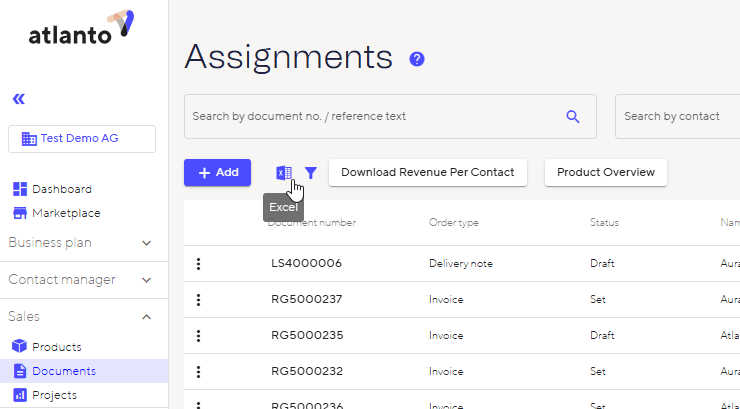
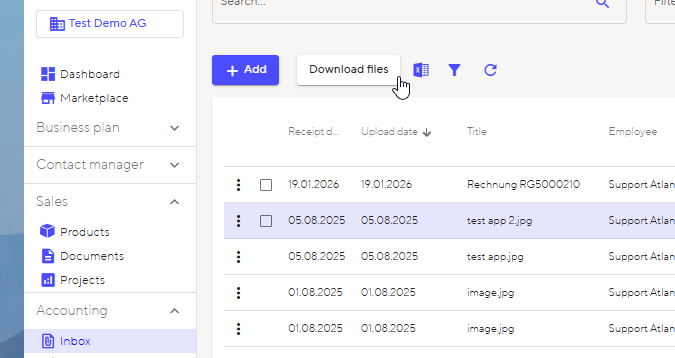
You can also download the tickets and invoices from the inbox. Please note that only receipts that have been uploaded to the inbox will be included. If you have added receipts manually under ‘Payables’ or ‘Postings’, you will need to download these individually and manually out of each posting.
Do you have any questions? Back to the FAQ