

November 2026
The November update brings several new features to Atlanto: the interface has been redesigned, with settings now more clearly separated from your day-to-day workspace. Creating orders is also more straightforward, with a live PDF preview for your documents. There are also new invoicing features, additional wage types, more ways to edit the chart of accounts and new connections for external applications.
✨ New: A clearer interface
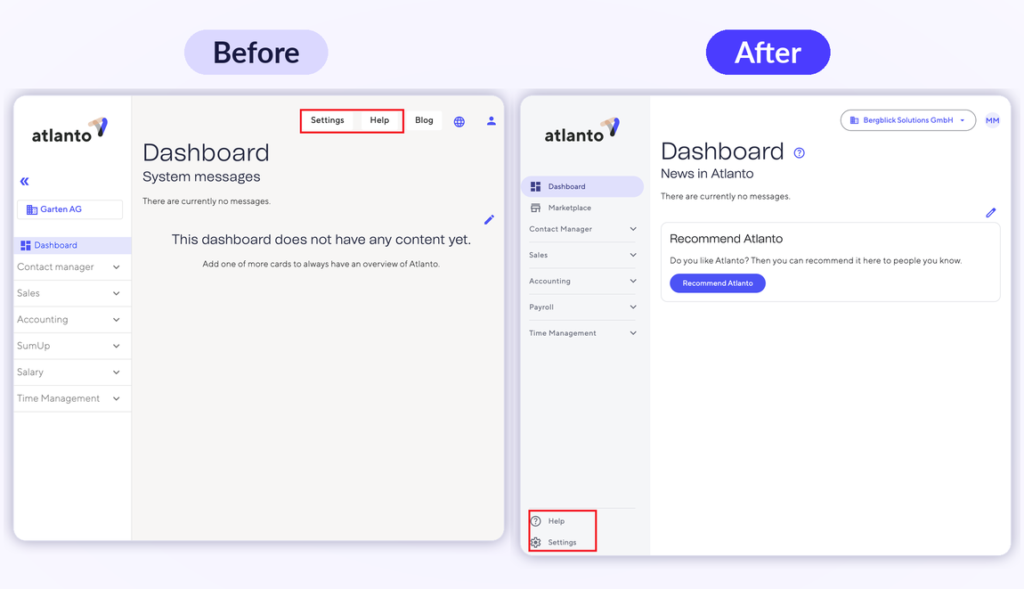
The Atlanto interface has been redesigned to make it easier to navigate. Settings are now more clearly separated from your day-to-day workspace. This helps you understand the navigation and find the functions you need more quickly.
Sales, Accounting, Payroll and Time Management are still available in the sidebar. Help and Settings are now at the bottom of the menu, while the functions you use for your daily work are arranged at the top.
🧾 New: A clearer way to create orders
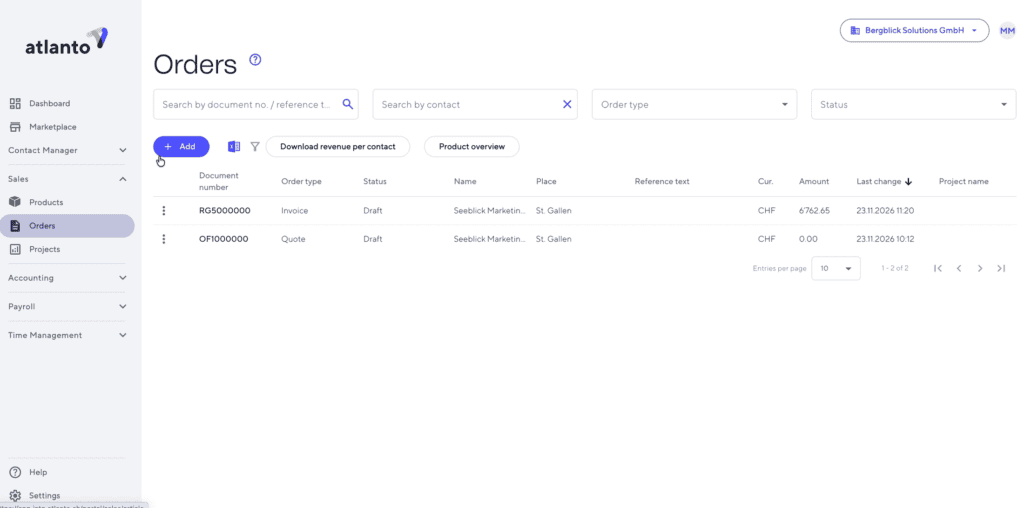
The process for creating documents in Orders has been redesigned.
💸 New: More invoicing features
The redesigned creation process gives you the following additional options:
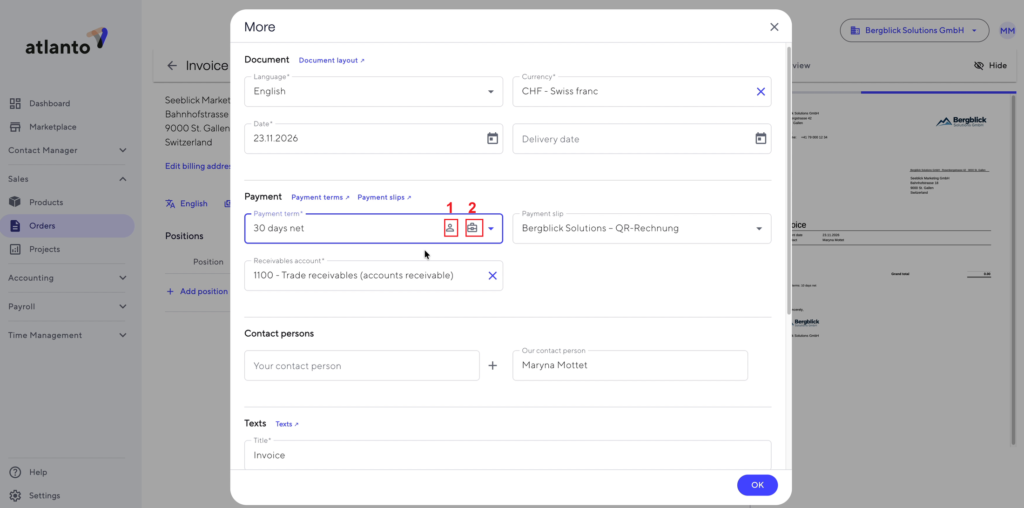
A default payment term for your company
You can now save a default payment term for individual customers as well as for your company. Use the two icons beside the Payment term field: the person icon (1) saves the term as the customer default, and the briefcase icon (2) saves it as the company default.
Product positions without a description
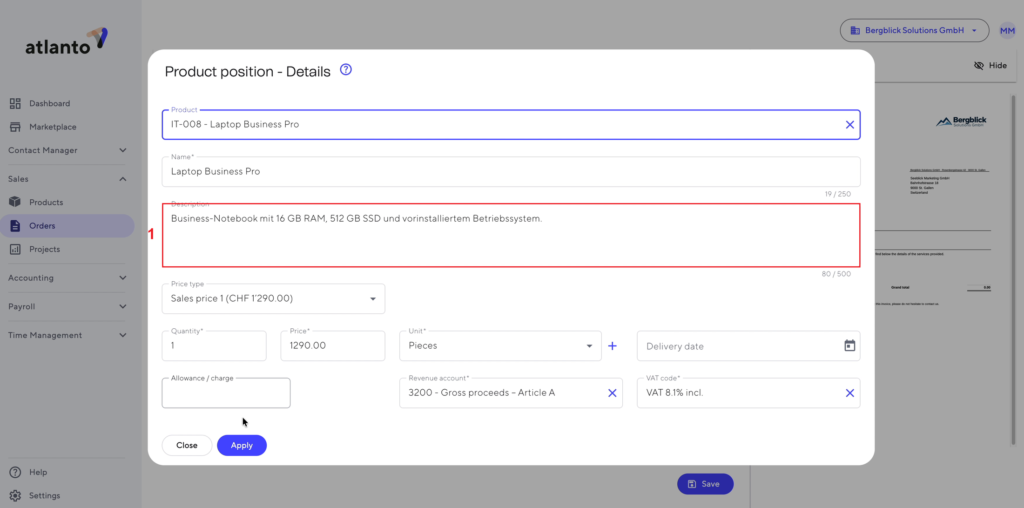
A name is now sufficient for a product position. An additional description (1) is optional, even when you work with document templates.
Show prices without charging for them
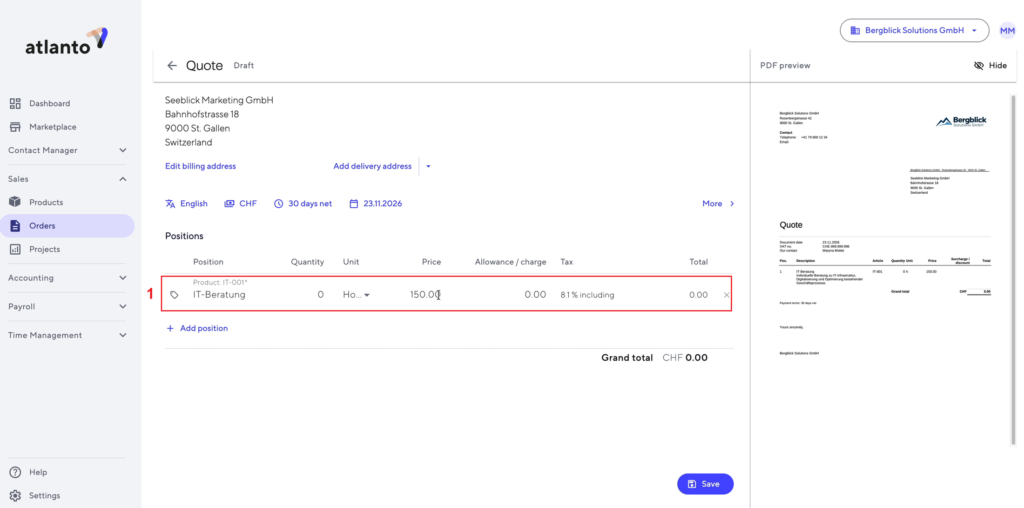
You can enter a position with a quantity of 0 (1). This lets you show a price without adding the position to the invoice total or VAT.
More flexible discounts and cash discounts
Discounts can be applied to individual positions, groups or the entire invoice. Groups can have their own subtotals. You can now also apply both a discount (1) and a cash discount (2) to the same invoice.
Add surcharges
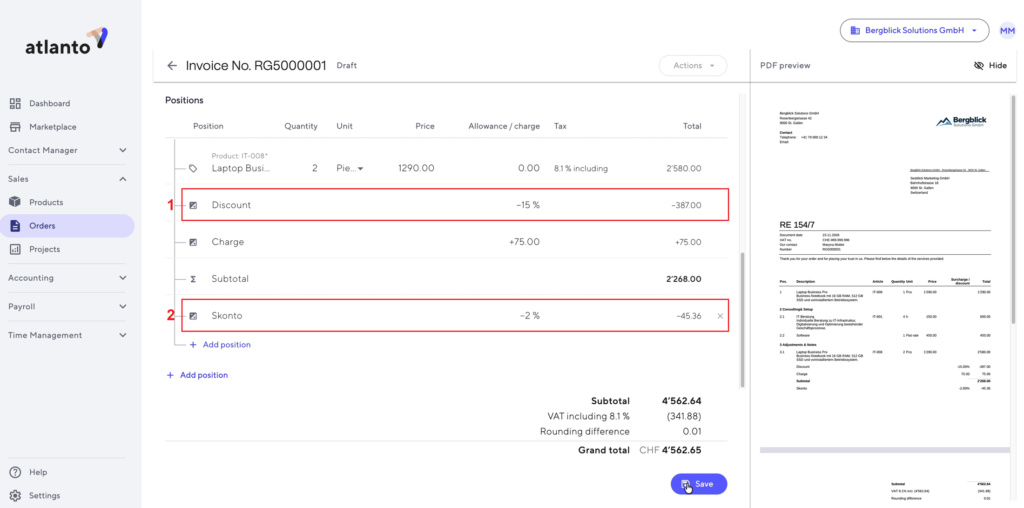
Under Allowance / Charge, you can enter an amount in CHF or a percentage. A positive value is treated as a surcharge and increases the invoice total.
Deduct advance payments
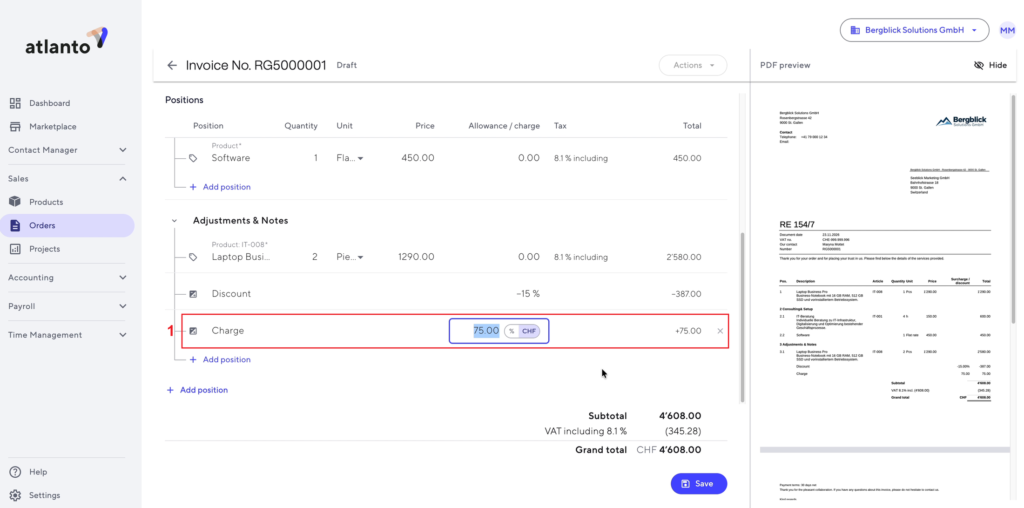
Advance payments that have already been invoiced can be entered as negative positions on the final invoice. Enter a negative quantity and a positive unit price. The corresponding amount is deducted from the invoice amount.
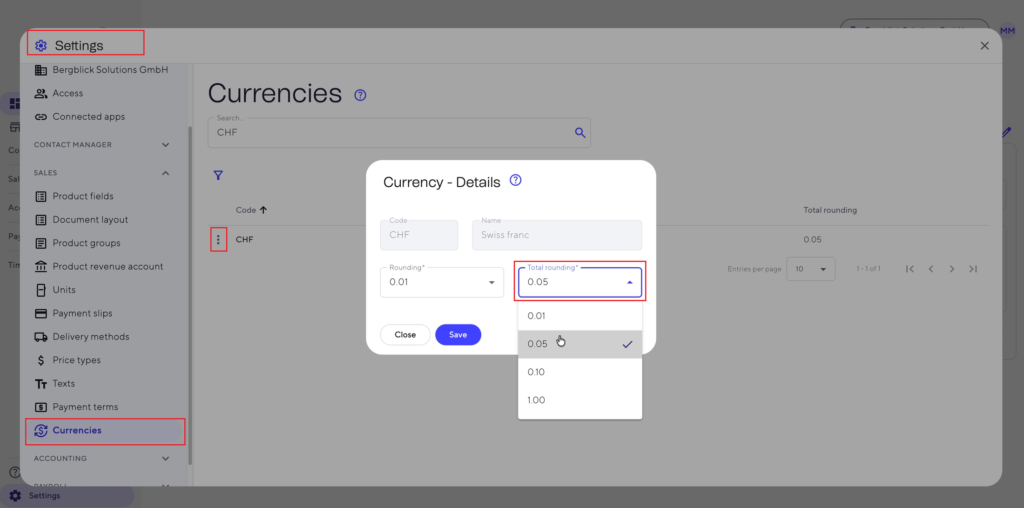
Round the final amount to the nearest five centimes
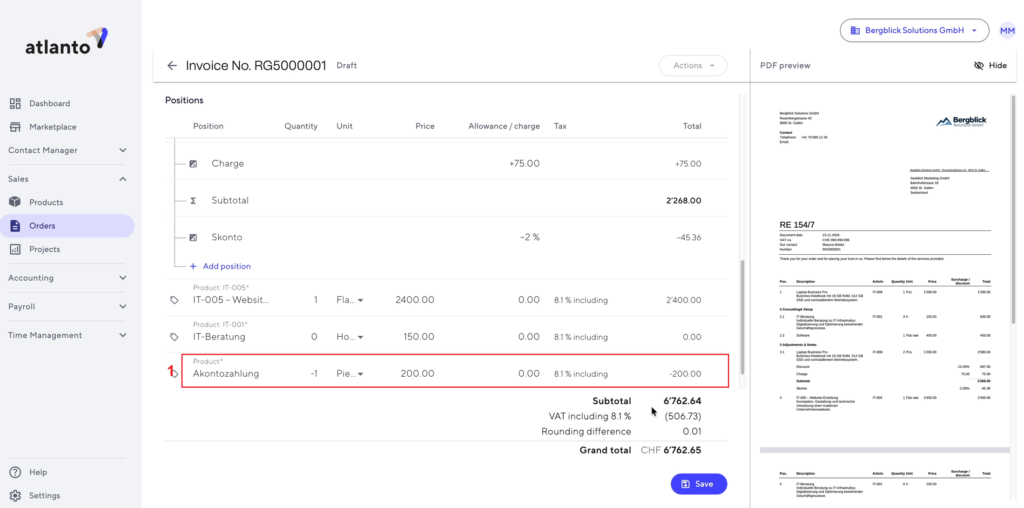
You can set final-amount rounding separately for each currency. When rounding to the nearest five centimes is enabled, any rounding difference is shown. The outstanding amount and the amount on the QR invoice remain aligned.
Reorder positions with drag and drop
You can change the order of the positions with your mouse, without deleting and adding them again.
📄 PDF preview: Check your invoice as you work
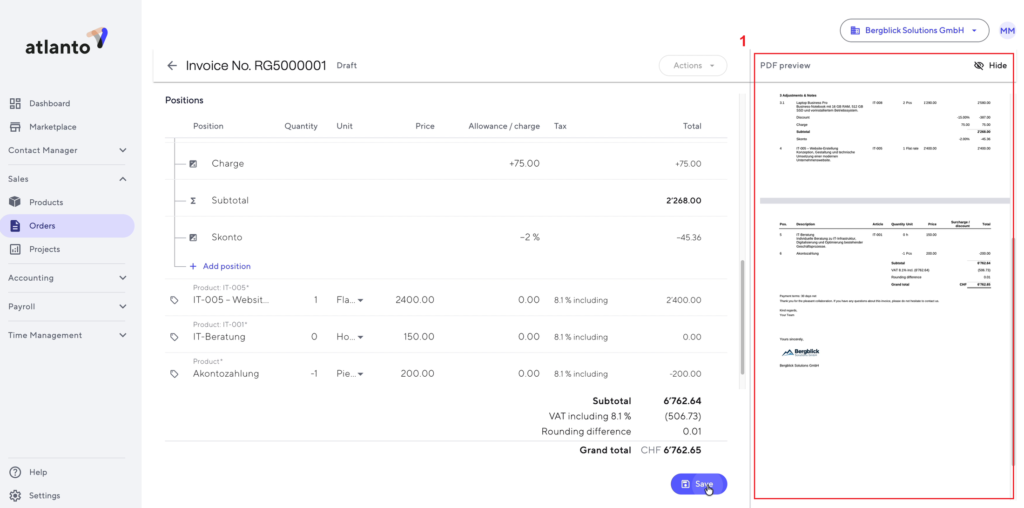
While you edit a document, Atlanto displays a PDF preview (1) on the right as soon as the required information is available. It updates when you change positions, discounts or surcharges, for example.
🎬 New Document Editor: Step-by-Step Tutorial
In our video, we show you how to create and customise invoices, quotes and other sales documents using Atlanto’s new document editor.
📊 New: More options in the chart of accounts
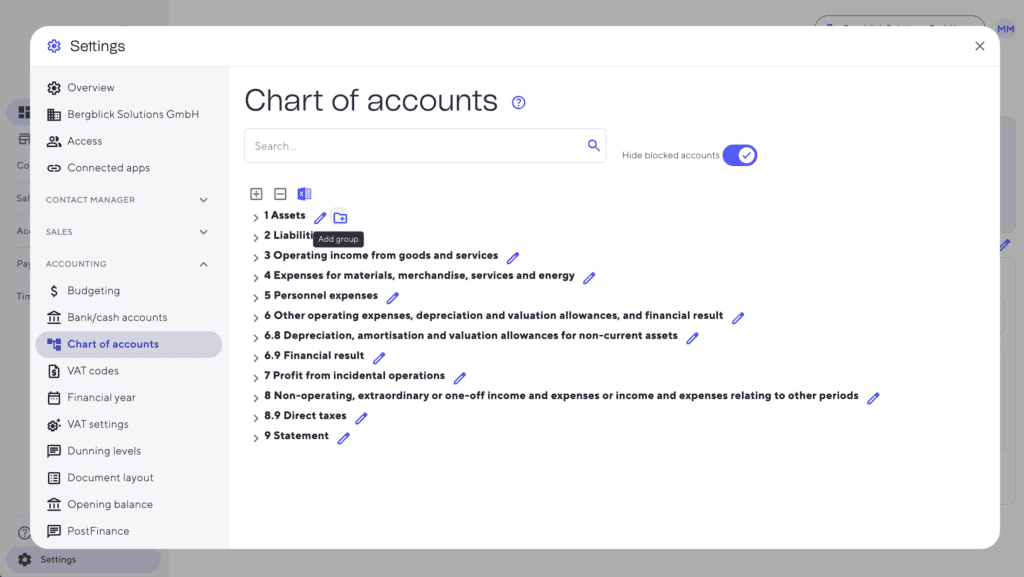
You can now edit your account structure more flexibly in the chart of accounts, including adding subgroups. This lets you adapt the chart of accounts more closely to your company’s needs and keep your accounts clearly organised.
💼 New: Additional wage types
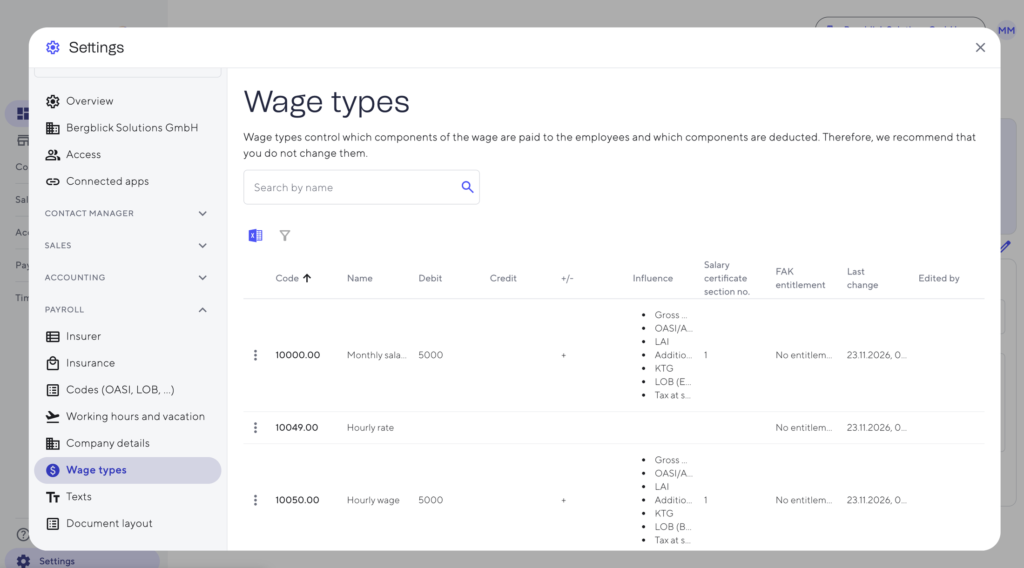
Payroll now includes 18 new standard wage types, allowing you to record additional remuneration, contributions and deductions.
These include:
- Daily sickness, accident and loss-of-earnings (EO) allowances for direct payment of the daily benefits
- Travel-time allowances, holiday pay and public-holiday compensation
- Difference payments for family allowances
- Employee and employer contributions for VRM (early retirement), Parifonds and FAR
For employment relationships with the corresponding LMV setting, Atlanto can also take public-holiday compensation into account when calculating holiday pay, without paying it twice.
💵 New: Payslip comments and holiday pay under the LMV
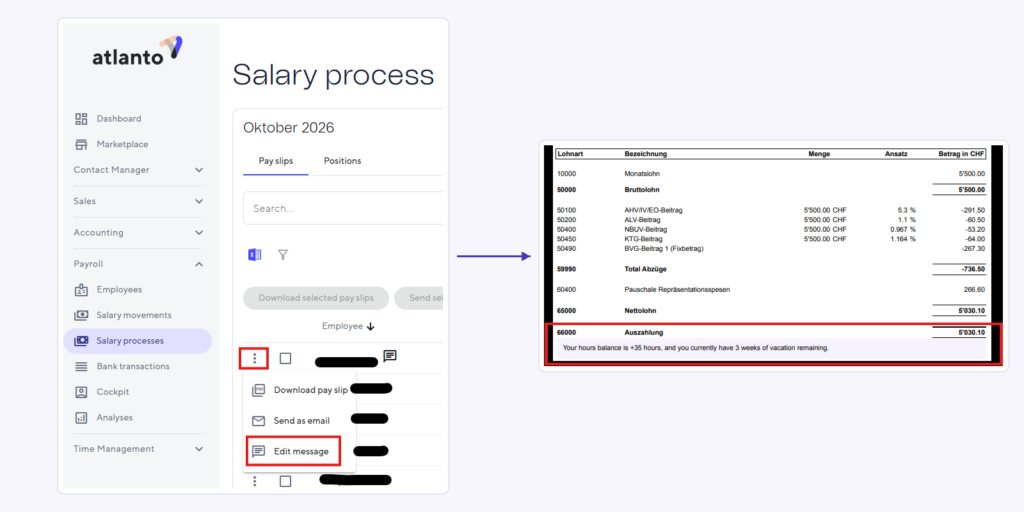
A comment field on the payslip
A new comment field lets you add a message for each person and payroll run, for example about their holiday or hours balance. The text appears on the newly created PDF payslip and is included when it is sent. For a finalised payroll run, enter the message again if needed.
Holiday and public-holiday allowances under the LMV
Do you have hourly-paid employees who are covered by the National Collective Labour Agreement (LMV)? Atlanto now calculates their holiday pay in accordance with the LMV. Enable the option directly in the employment relationship.
Atlanto then calculates holiday pay on both the basic wage and public-holiday compensation. Nothing is paid twice.
Example: hourly wage CHF 30.00, public-holiday allowance 3.59%, holiday pay 10.64%. With the LMV setting, the person receives CHF 34.37 per hour instead of CHF 34.27.
🏦 New: Import bank transactions from Revolut
Revolut gives you one IBAN for multiple currencies. In Atlanto, you can now use that IBAN for several bank accounts, for example your CHF, EUR and USD accounts.
Download the camt file from Revolut and import it into Atlanto. The file contains transactions in all currencies. Atlanto assigns each transaction to the account in the corresponding currency.
🔗 New: Connect external applications via the API
Under Settings > Connected apps, you can set up access for external applications. You decide which areas each application may access. Connections can be reviewed and revoked when needed.
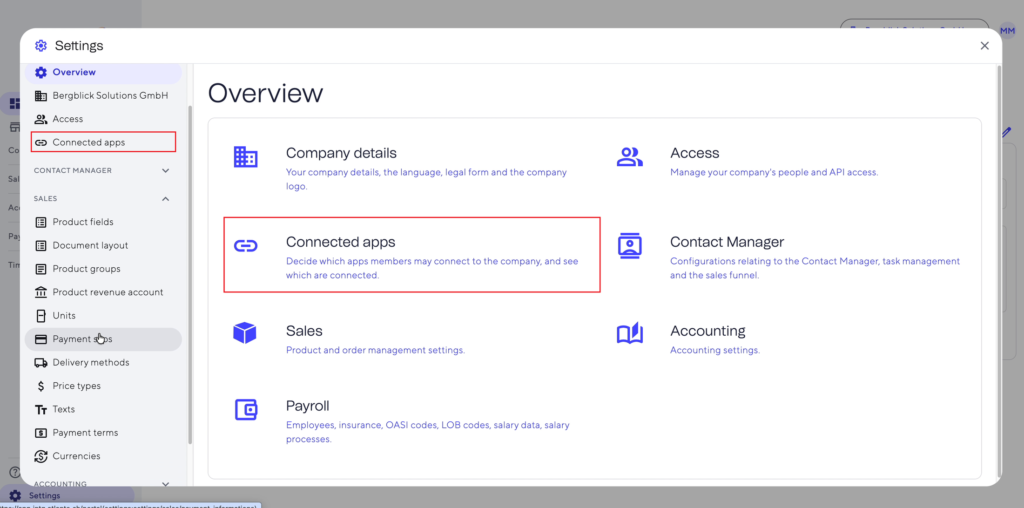
This lets you connect tools such as your own reporting programs, course-management systems or other software to Atlanto. The provider or developer of the external application sets up the actual technical connection.
This release also includes many other smaller improvements and bug fixes.
Have questions or feedback about this update? Feel free to contact our support team.